
01
Know what changed after every sale
When a sale is completed, stock and reporting should move with it—not stop at a printed receipt.
DokanMate connects every sale to stock, purchases, customer Baki, branch control, reporting and staff permissions—so you can run retail without stitching together billing apps, spreadsheets and paper ledgers.
 DokanMate80mm Thermal Receipt
Thank you! Visit again.
The expensive blind spots happen around the sale: missing stock, forgotten Baki, branch confusion, shared staff access and backups nobody knows how to take. DokanMate keeps those workflows connected.
When a sale is completed, stock and reporting should move with it—not stop at a printed receipt.
Keep customer-wise dues, payment history and sales context together so “who owes what” does not depend on memory.
Use branch-scoped users, tracked transfers and central visibility instead of sharing one account across shops.
Download a database backup to your own PC in one click and install supported updates from inside the application.
Start at the counter, then keep purchases, inventory, dues, branches, reporting and recovery connected as the business grows.
Explore all featuresSearch or scan products, handle discounts, returns and exchanges, and record Cash, bKash, Nagad or Card/Bank payments from a cashier-focused POS. Split payment remains available when a sale needs more than one method.
Learn moreSales, purchases, low-stock visibility, warehouses, product variants and stock movement stay in the same operational system instead of separate spreadsheets.
Learn moreRun Main Branch and additional outlets with branch-scoped users, central sales and stock visibility, and tracked inter-branch stock transfers.
Learn moreKeep customer-wise due balances, payment history and sales context together so you can see who owes what and what changed after each payment.
Learn morePrint clean 80mm thermal or A4 receipts with payment details, multiline post-sale messages and invoice notes you can control from settings.
Learn moreReview sales, purchases, expenses, profit signals, stock movement and payment-method totals without rebuilding the day in Excel after closing the counter.
Learn moreA responsive web interface keeps owner and manager workflows accessible from supported desktop or mobile browsers.
Many POS tools can record a sale. DokanMate is designed to connect that sale to the stock room, Baki ledger, purchasing, branches, permissions and owner reporting.
| Retail need | Basic billing POS | DokanMate |
|---|---|---|
| Local payments & checkout | Sale + receipt | ✓ Cash / bKash / Nagad / Card + split |
| Customer Baki history | Ledger / manual follow-up | ✓ Customer-wise due + payment history |
| Purchases & suppliers | Often separate | ✓ Connected |
| Branches & staff access | Often shared logins | ✓ Branch scope + role permissions |
| Stock transfer | Spreadsheet / calls | ✓ In workflow |
| Backup & update workflow | Technical task | ✓ 1-click backup + safe updater |
| HRM | Separate system | ✓ Chain / Enterprise |
Published testimonials are added from the CMS from real customer feedback you choose to display.
“This is a test testimonials”

Focused screens for cashiers, shop managers and owners—without turning daily retail work into an accounting exercise.
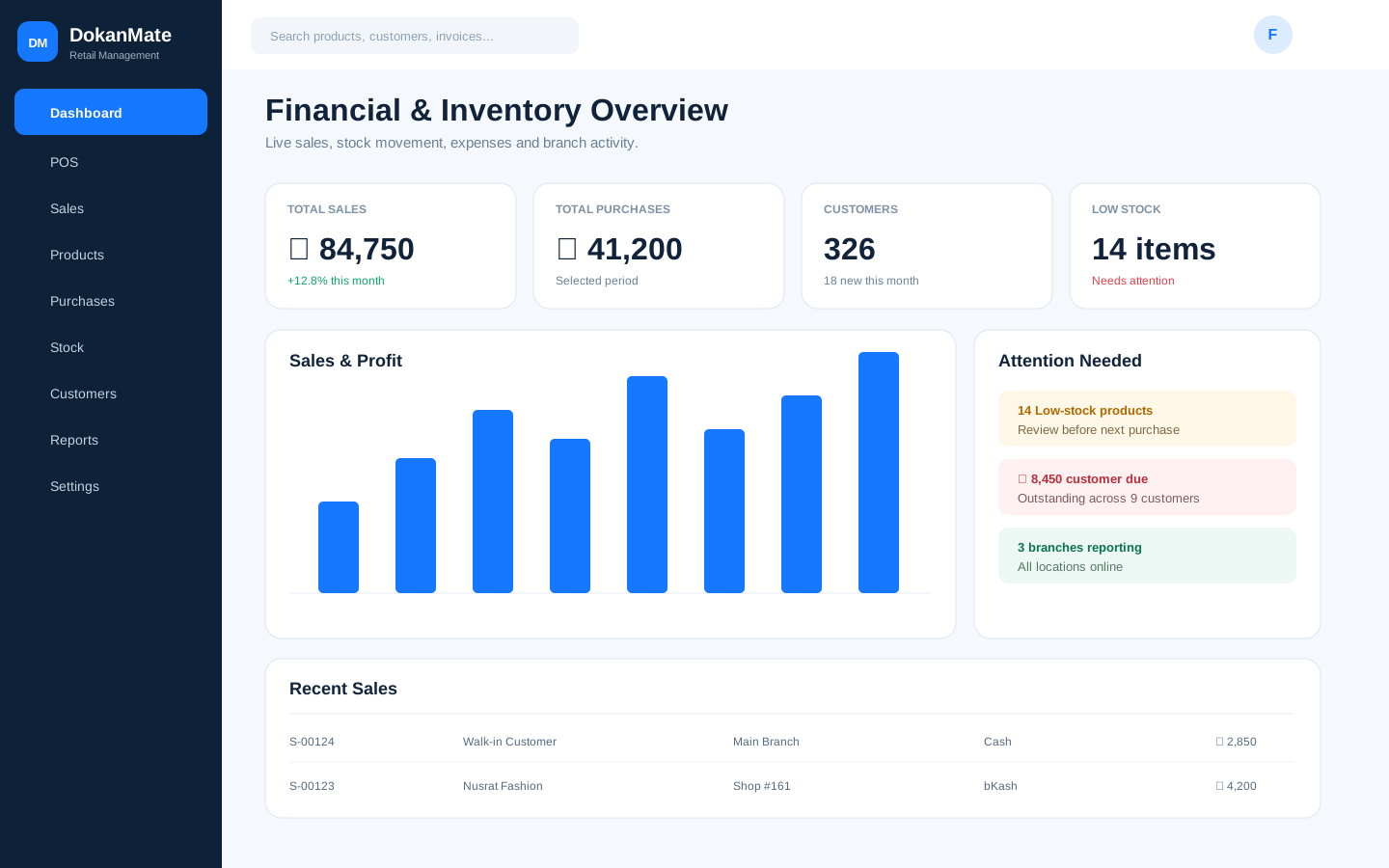
See sales, stock, expenses and exceptions in an owner-focused workspace instead of rebuilding the day from multiple tools.
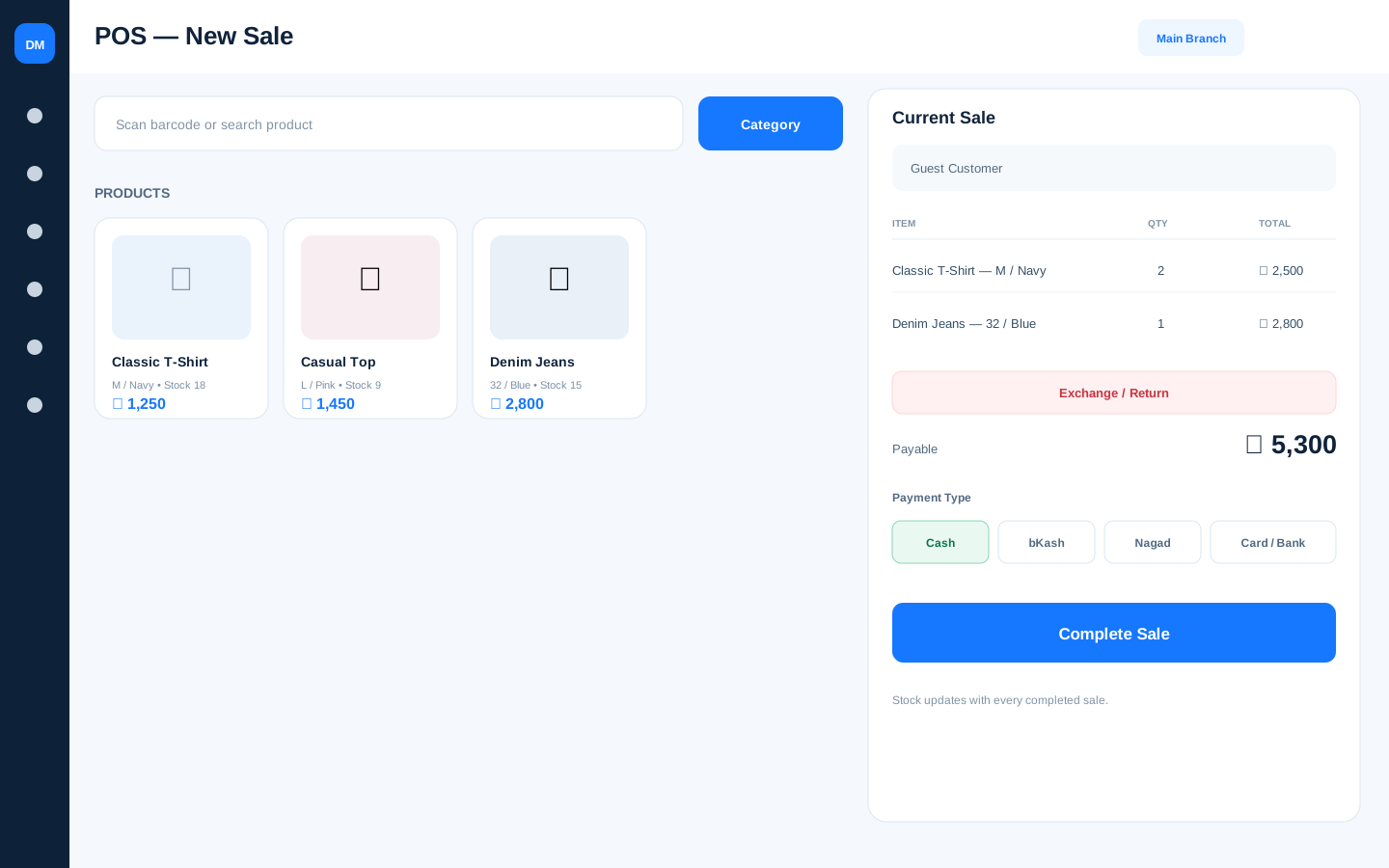
Search or scan products, manage the cart, record local payment methods and handle return/exchange work from one focused checkout.
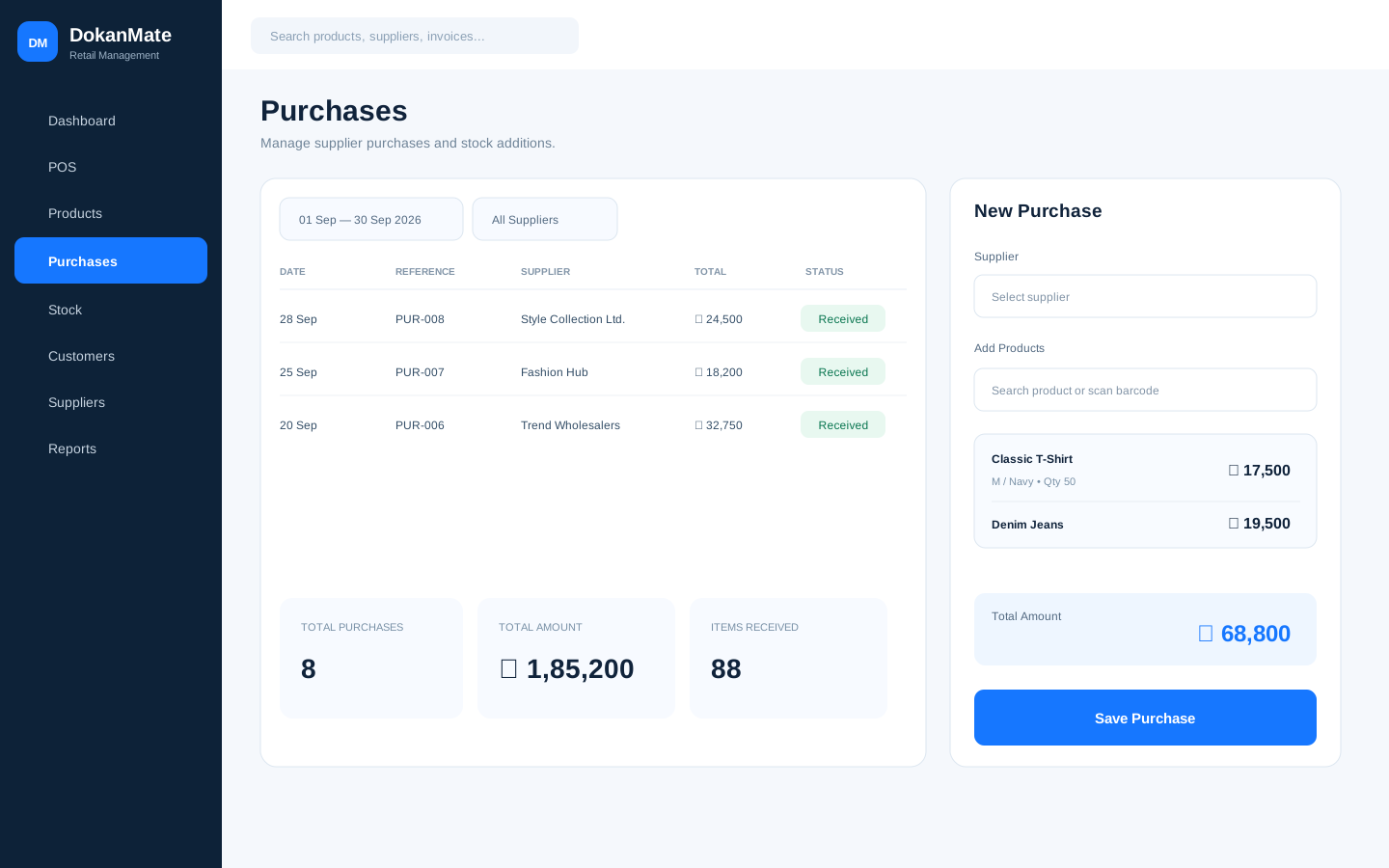
Keep supplier purchasing and stock replenishment connected to the inventory your branches actually sell.
Duo and Cluster share the retail feature set except HRM; choose mainly by branch count. Chain adds HRM for larger operations.
Main Branch counts toward the branch limit. Duo and Cluster exclude HRM; Chain includes HRM. Enterprise is configurable.
Run a sale, check Baki, move stock between branches, change a permission and take a backup in the live demo before you choose a plan.
 Retail Guide
A practical system for recording dues, collecting payments and keeping customer relationships clear without relying on memory or a paper ledger.
Read guideRetail GuideA practical end-of-day routine for comparing POS payment totals with cash in the drawer and mobile-financial-service collections.
Read guideRetail GuideStock mismatches can come from sales, returns, receiving, transfers or permissions. Check the workflow before assuming the worst.
Read guide